August 28th, 2025
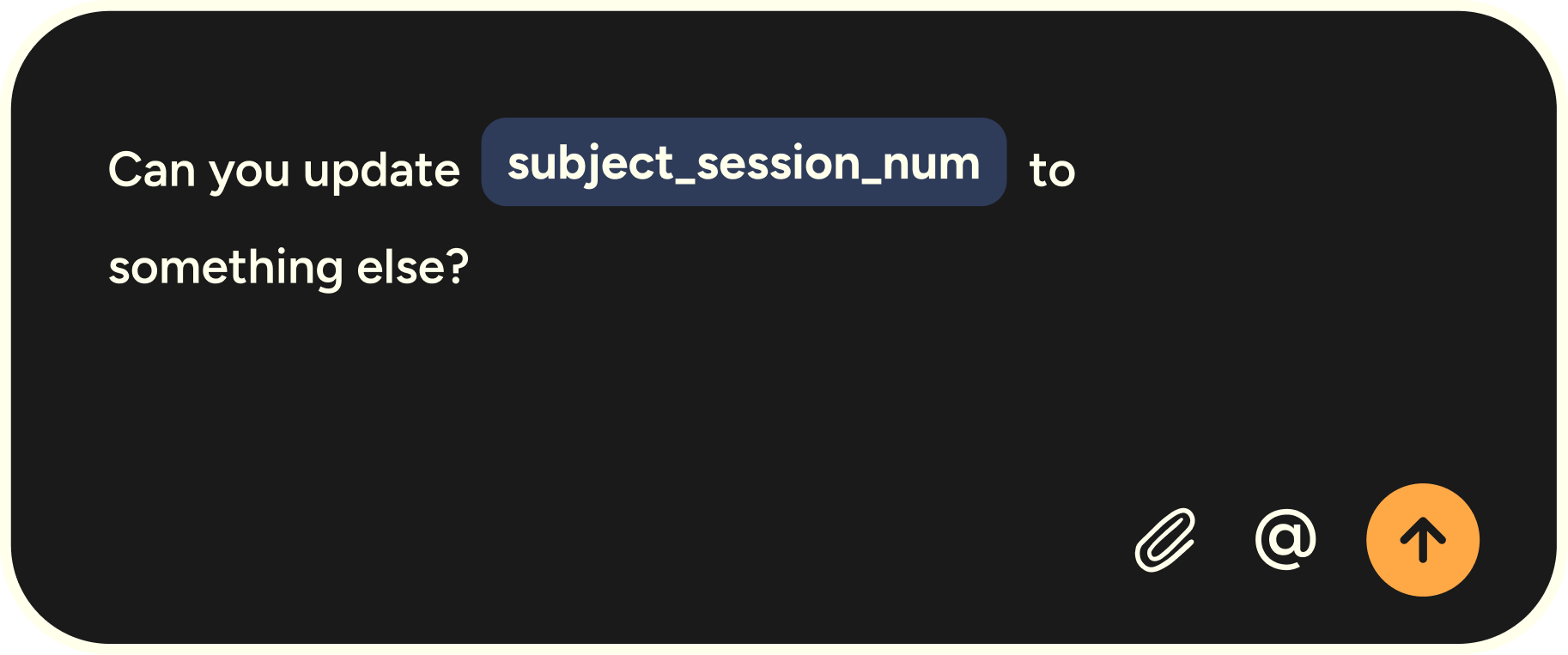
Variable Recognition for Developers (with File Tagging already built in)
Flow just got even sharper for developers working in Cursor, Windsurf, GitHub, and more.
Variable Recognition (new)
Dictation used to stumble on variables, acronyms, and commands. Not anymore. Flow now parses your speech with full syntax awareness:
Handles camelCase, snake_case, and acronyms
Preserves exact spacing and formatting
Understands CLI commands and dev jargon
Example: say “SSH into EC2, tail the logs in tmux, and grep the timestamp” — Flow captures it precisely.
File Tagging (already live)
Mention a filename (e.g. authCheck.ts) and Flow automatically tags it in Cursor and Windsurf. Your spoken prompts become more complete, so AI agents return more precise results.
Why it matters: Together, Variable Recognition + File Tagging remove the biggest friction in voice coding. You can speak naturally and trust Flow to handle both your ideas and your syntax.
How to get started:
Update to the latest version of the Flow desktop app.
File Tagging is on by default (Settings → Vibe Coding if you’d like to turn it off).
Variable Recognition works automatically in GitHub, terminals, and Notion. In Cursor/Windsurf, enable it via Settings → Vibe Coding → Variable Recognition.
Try saying: “Fix the auth bug in authCheck.ts, variable isLoginError is false by default.” Flow tags the file, recognizes the variable, and upgrades your prompt — all hands-free.