
What's New

Follow new updates and improvements to Wispr Flow.

Personalized Styles: Make Wispr Flow sound more like you!

Previously, Flow automatically formatted your text differently depending on whether you were in an email app or a messaging app. In emails, Flow used full punctuation, capitalization, and line breaks to look polished. In messaging apps, Flow made things a bit lighter and more casual.

That worked fine for most people, but it didn’t always reflect your personal writing style.

Now with Personalized Style, you now decide how Flow formats your text based on the type of app, so you always sound like you.

Choose your preferred formatting for each type of app:

  • Personal messaging apps (iMessage, WhatsApp, Telegram)

  • Work messaging apps (Slack, Teams)

  • Email apps (Gmail, Outlook, Superhuman)

  • Other apps (Docs, Notes, ChatGPT, etc.)

Depending on the app category, you’ll be able to choose from Very Casual, Casual, Excited, or Formal. Flow will automatically apply your chosen punctuation and capitalization whenever you dictate. However, your words stay yours: Flow won't alter your grammar, phrasing, or word choice.
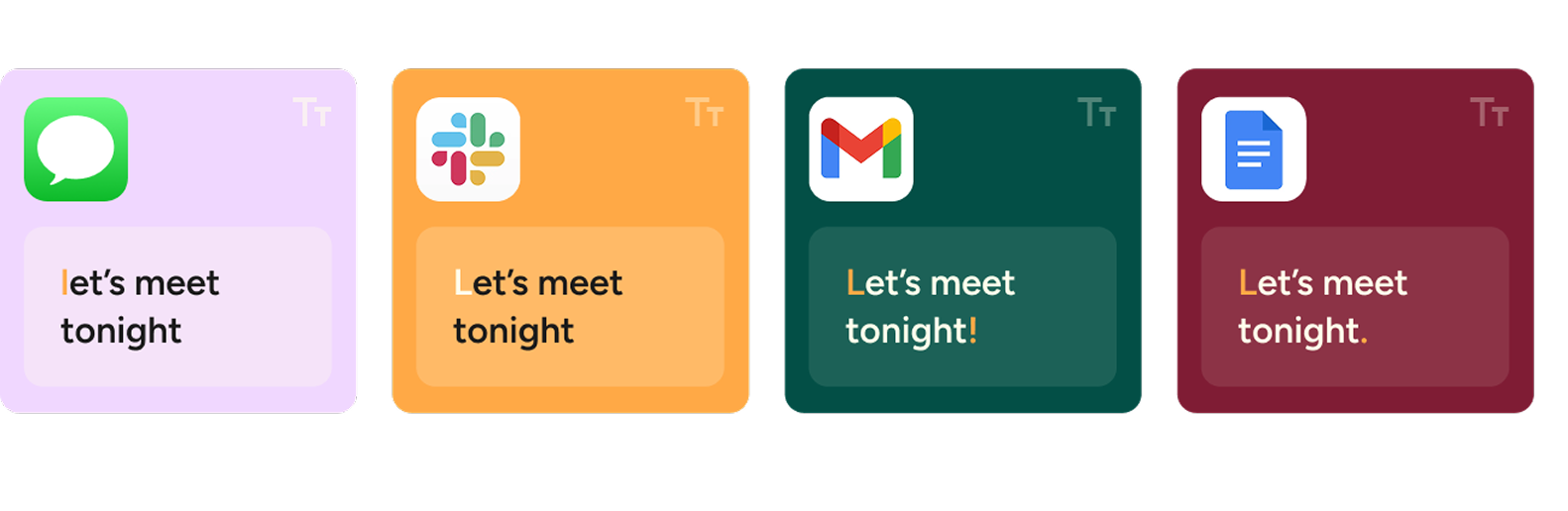

To try it out, open your Flow Desktop app and go to Style from your lefthand navigation.

Note: This feature is currently only available on Desktop, coming soon to iPhone. In the interim, there's a simpler version called Casual tone while messaging under Settings → Personalization.
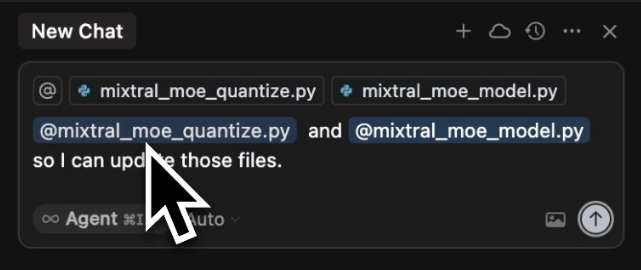
Introducing: File tagging with Flow in Cursor 🎉

Flow now supports automatic file tagging through voice commands in Cursor and Windsurf. Simply say "I'm working with helloWorld.js" and Flow will automatically tag the relevant files in your workspace.

See it in action with our CTO:


Even if you're already using voice-first development with Flow, you have to go back to typing to tag files. Now you can stay in your voice workflow. No more stopping mid-thought to click around or hunt for files when you're deep in the zone.

This was our most requested feature—90% of user messages asked for voice file tagging. Our CEO Tanay recently wrote about why solving this problem matters so much to him as a founder and developer.

Coming Soon: More voice coding features are on the way. Stay tuned!

🌊 Use Flow everywhere with whispering mode (in beta)

A lot of users wanted to use Flow everywhere, even in places they can't speak out loud. We just released our first capability (of many) to make voice more ubiquitous — Flow with whispering!

Just turn on the toggle in the settings and speak silently 😉


How to use

Flow Hub > Settings > Enable whispering > Toggle on 🌟 

If you were one of the people who replied to my last email and set up a call to chat - a huge thanks to you! It helps us launch new features like this. We've been loving this at Wispr, and I hope you do too. 

PS: AirPods are pretty bad for whispering. I recommend switching to the Macbook default mic (you can do it in the tray settings). I've been using this in our open office, sitting normally, 1-2 feet away from my screen, and it's surprisingly good. 

P.P.S: I wrote this changelog whispering while sitting around people in a cafe.